
How to create a Novita AI API key to use in Ozeki AI Gateway
This guide demonstrates how to create a Novita AI API key and configure it in Ozeki AI Gateway. You'll learn how to access the Novita AI platform, generate a new API key, and set up Novita AI as a provider in your gateway. By following these steps, you can connect your Ozeki AI Gateway to Novita AI's fast and cost-effective AI model inference platform.
API URL: https://api.novita.ai/openai/v1
Example API Key: sk-Eu-abc123...
Default model: openai/gpt-oss-120b
What is a Novita AI API key?
A Novita AI API key is a unique authentication credential that allows applications to access AI models through the Novita AI platform. Novita AI specializes in providing cost-effective and high-performance AI model inference services. When configuring Novita AI as a provider in Ozeki AI Gateway, you need this API key to establish the connection between your gateway and Novita AI's services.
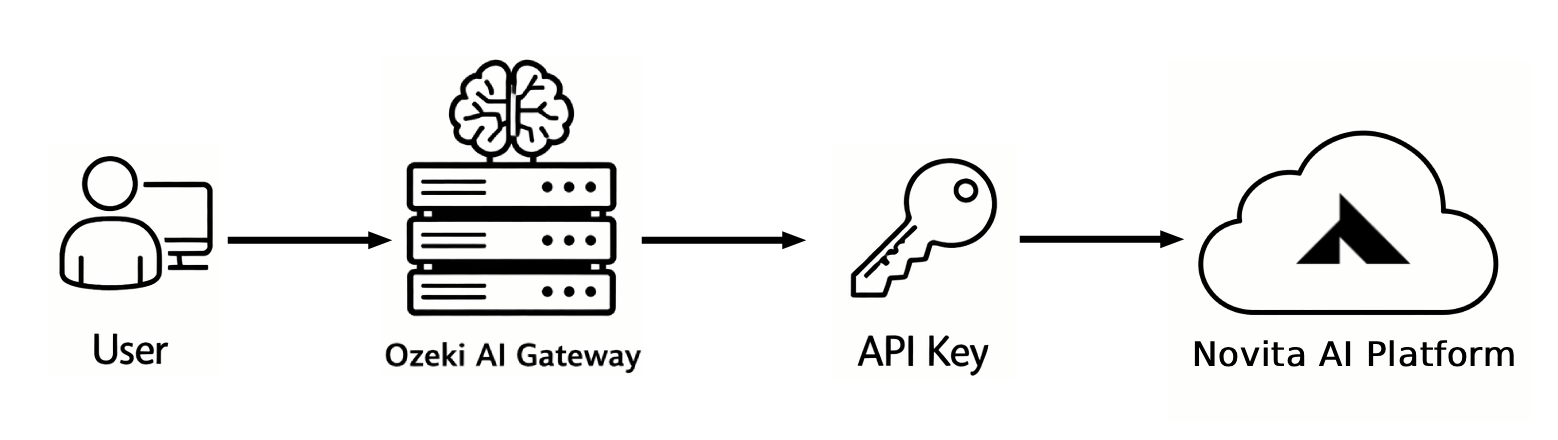
Steps to follow
We assume Ozeki AI Gateway is already installed on your system. You can install it on Linux, Windows or Mac.
- Navigate to Novita AI website
- Open account key management page
- Create new API key
- Enter details and generate key
- Copy API key
- Open Providers page in Ozeki AI Gateway
- Create provider
How to create a Novita AI API key video
The following video shows how to create a Novita AI API key and configure it in Ozeki AI Gateway step-by-step. The video covers accessing the Novita AI platform, generating credentials, and setting up the provider in your gateway.
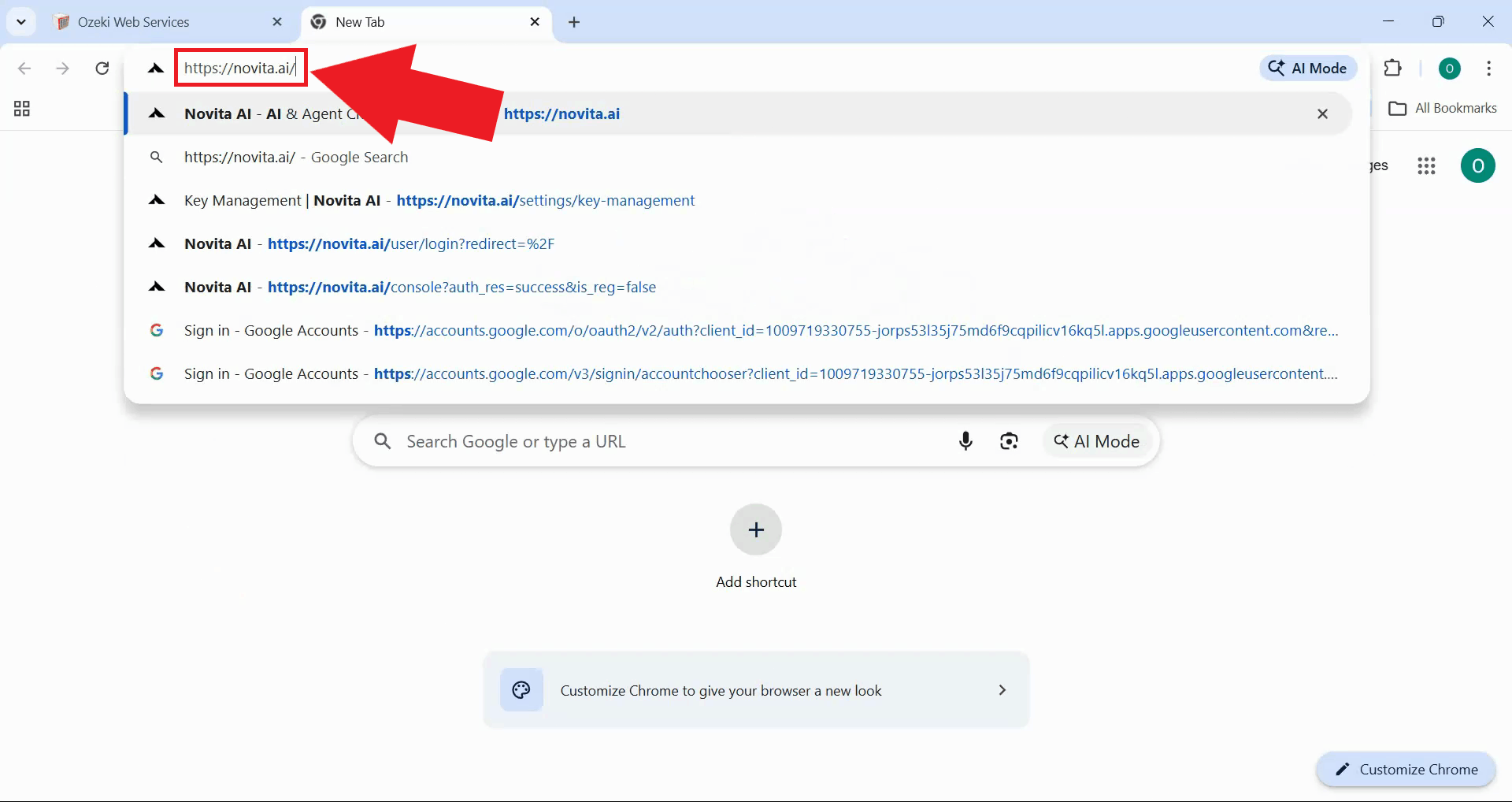
Step 1 - Navigate to Novita AI website
Open your web browser and navigate to the Novita AI platform. Sign in with your account credentials or create a new account if needed. The Novita AI dashboard provides access to API management, model selection, and account settings (Figure 1).
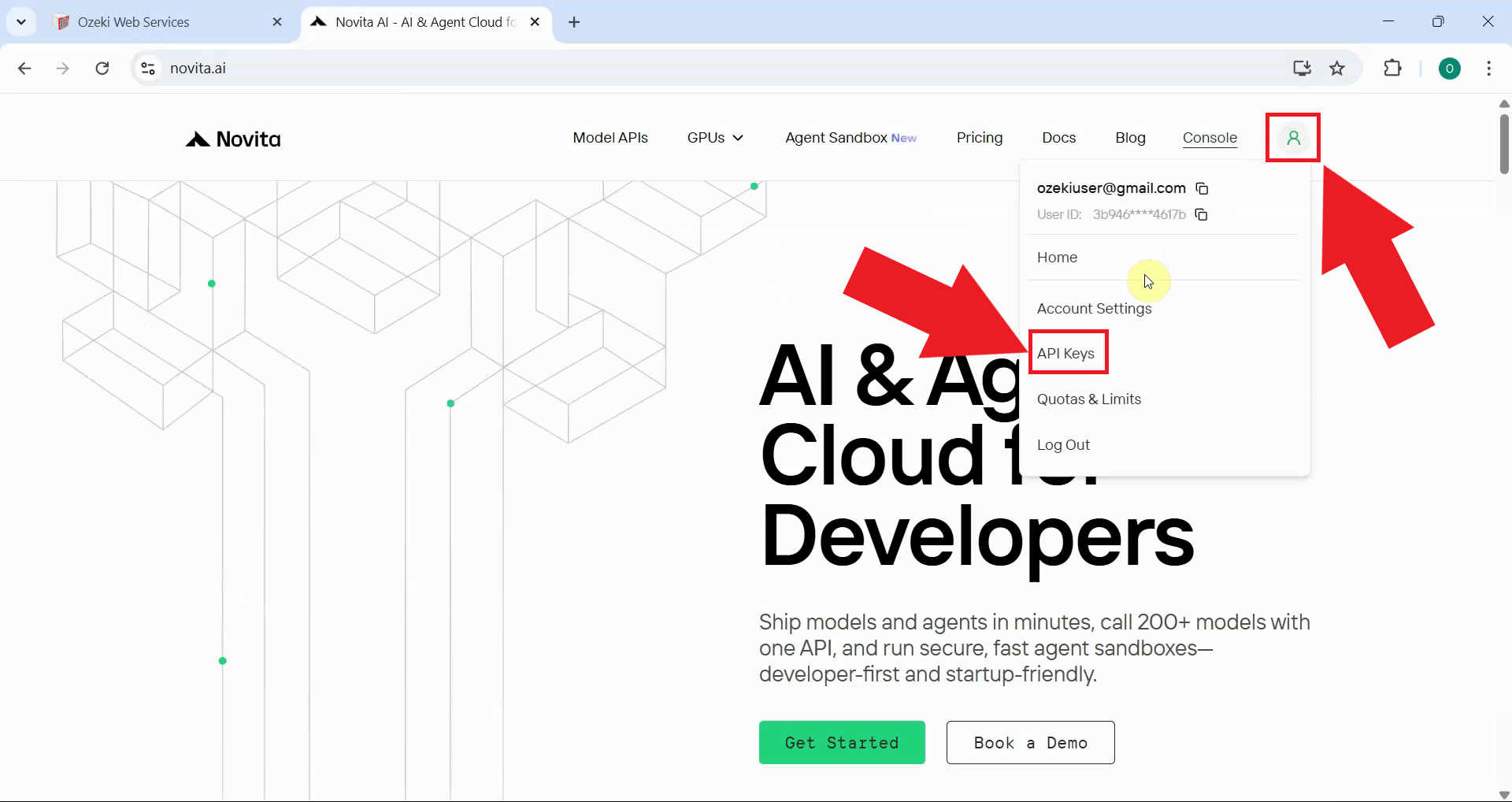
Step 2 - Open account key management page
After signing in, navigate API key management section by clicking your profile icon in the top right corner. This page allows you to create, view, and manage your API keys for accessing Novita AI services (Figure 2).
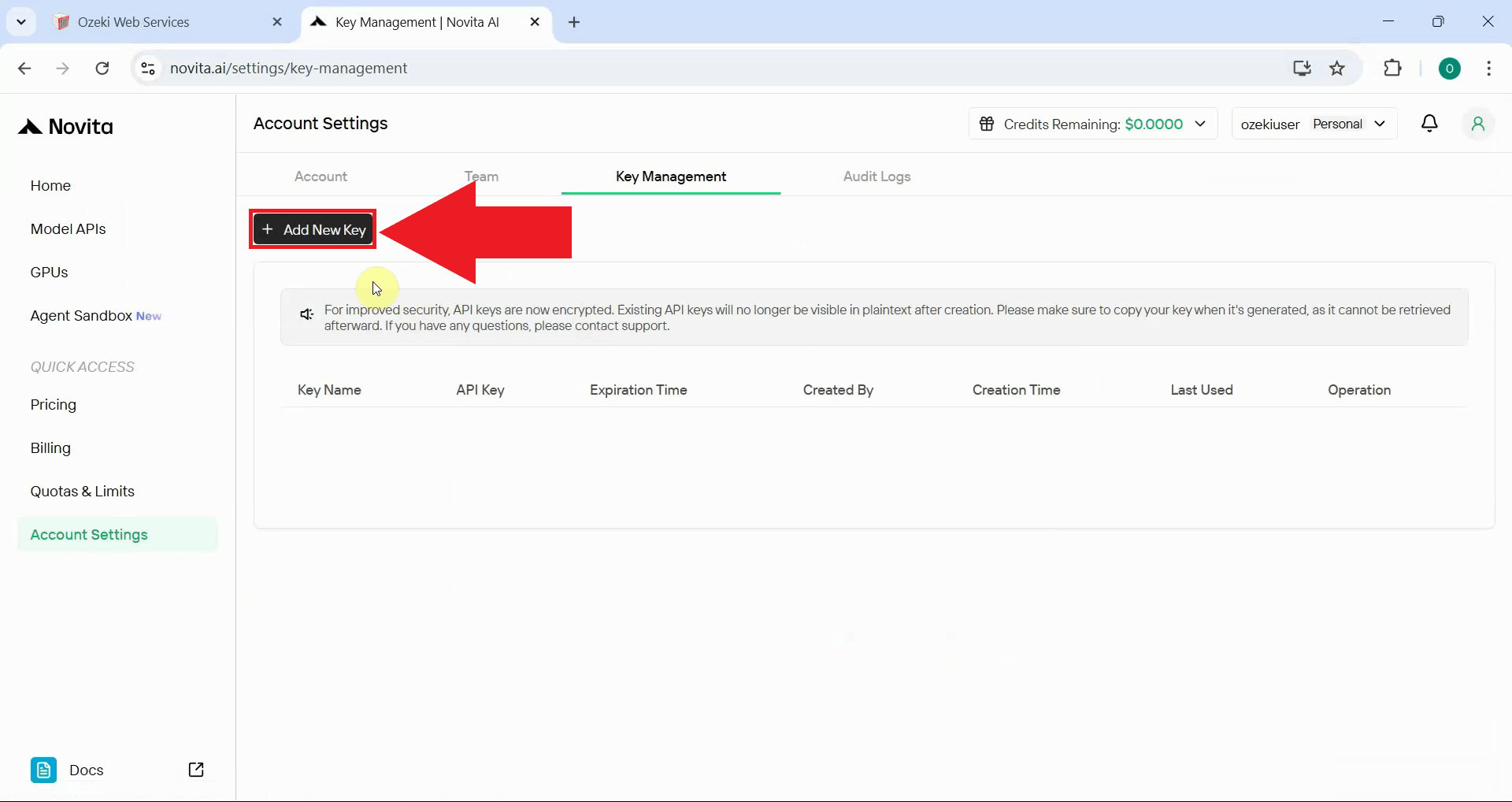
Step 3 - Create new API key
On the key management page, click the "Add new key" button to begin the API key generation process. This initiates the key creation workflow where you'll configure the settings for your new credential (Figure 3).
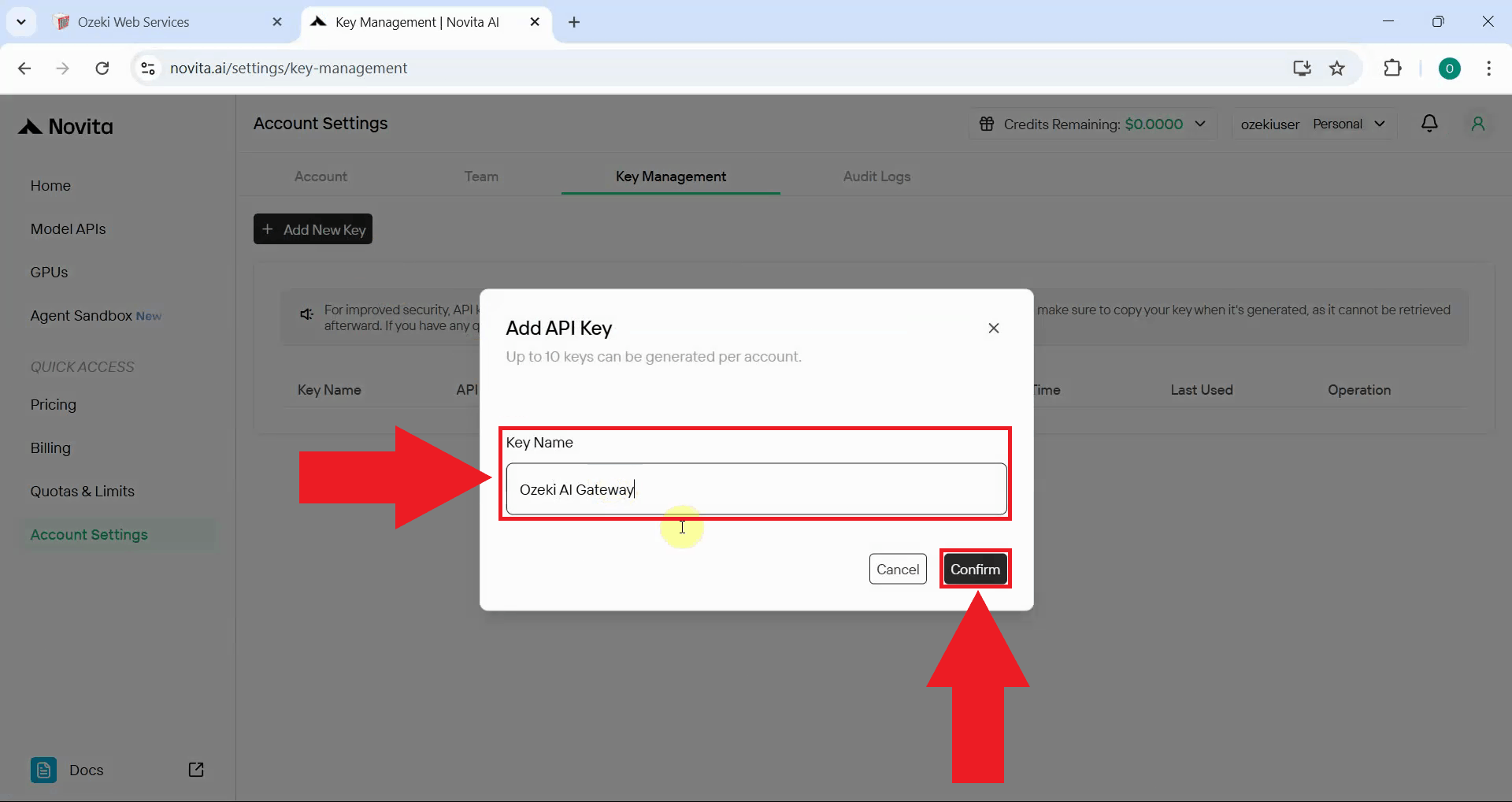
Step 4 - Enter details and generate key
Enter a descriptive name for your API key, such as "Ozeki AI Gateway". A clear naming convention helps identify which keys are used by which applications or services. Click the Confirm button to create your authentication credential (Figure 4).
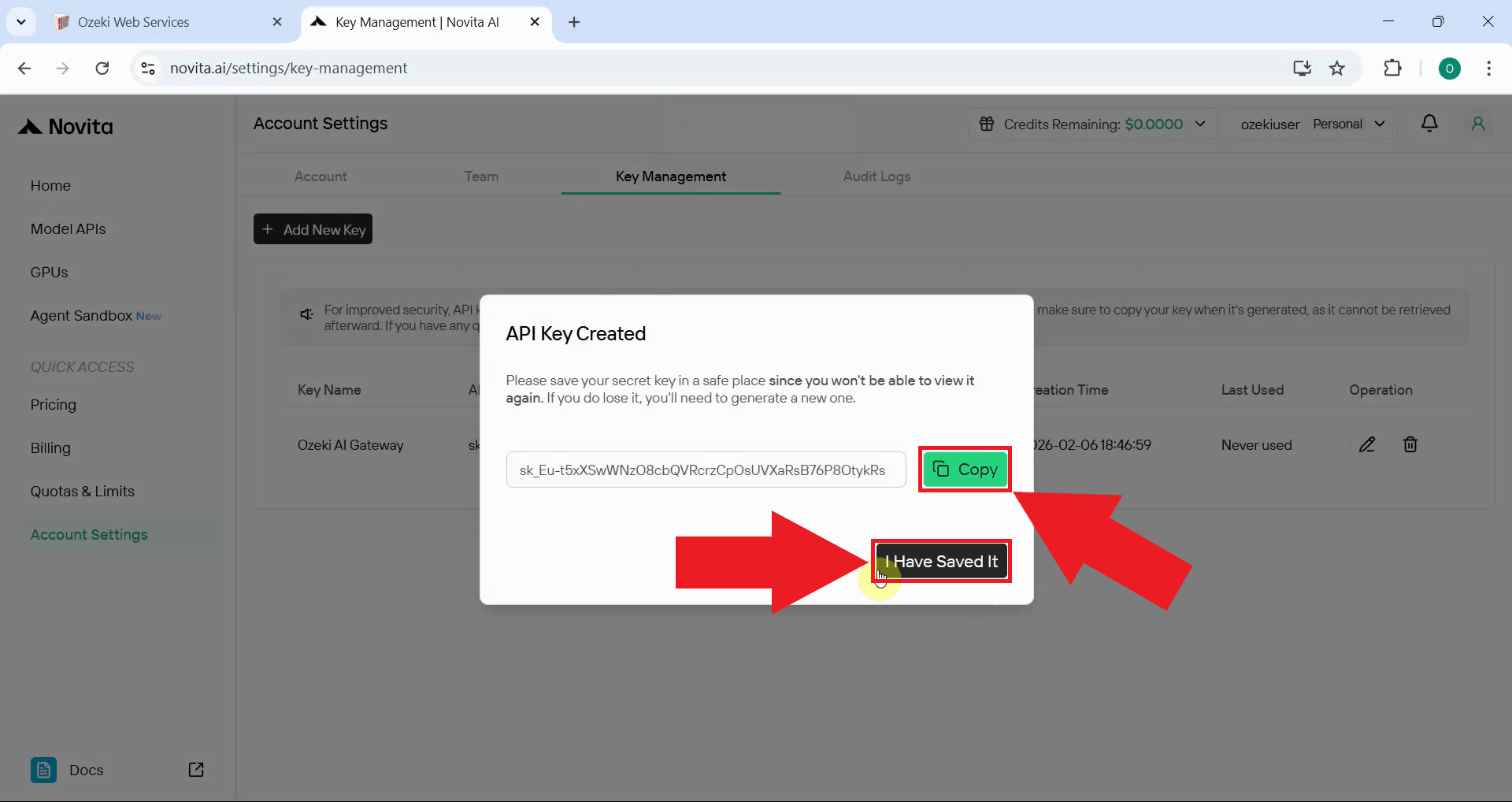
Step 5 - Copy API key
After generation, Novita AI displays the complete API key value. Click the copy button to transfer it to your clipboard. Store this key securely as it provides access to your Novita AI account and AI models (Figure 5).
The API key is only shown once during creation. Make sure to copy and securely store the key before closing this window.
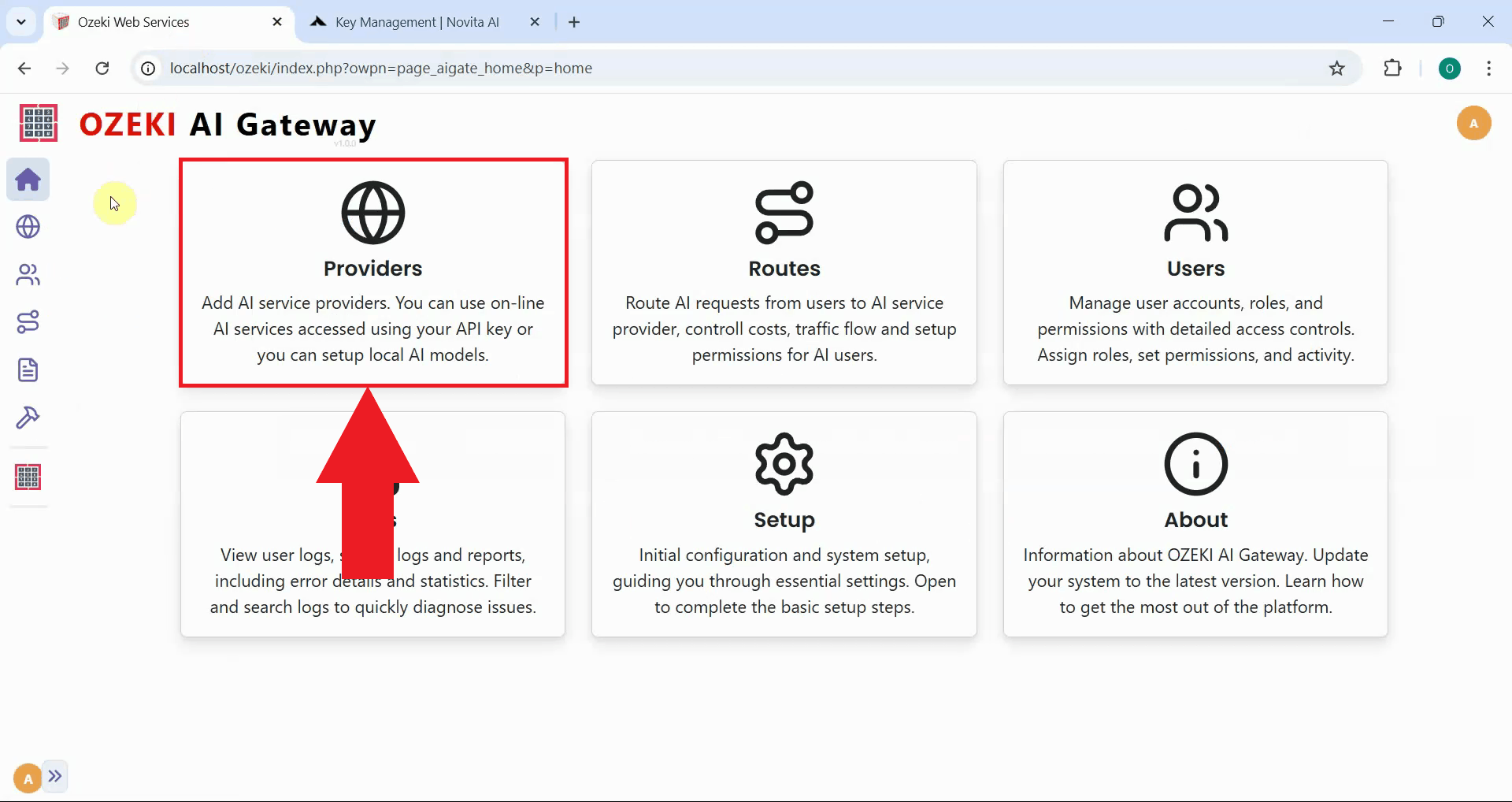
Step 6 - Open Providers page in Ozeki AI Gateway
Open the Ozeki AI Gateway web interface and navigate to the Providers page. The Providers page displays all configured AI model connections and allows you to add new providers (Figure 6).
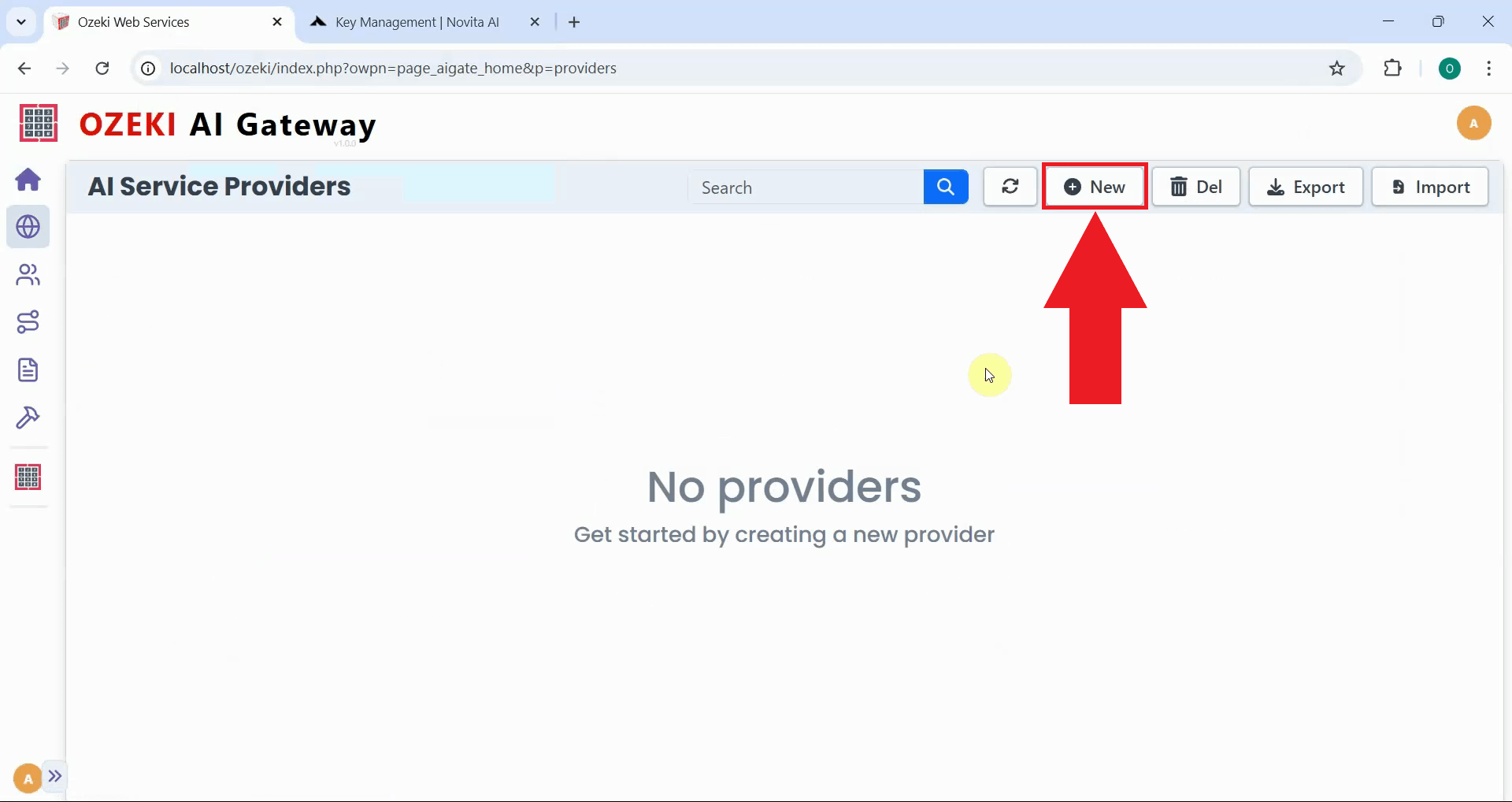
Step 7 - Create provider
Click the "New" button on the Providers page to begin creating a provider configuration. This opens a form where you'll specify the connection details for Novita AI (Figure 7).
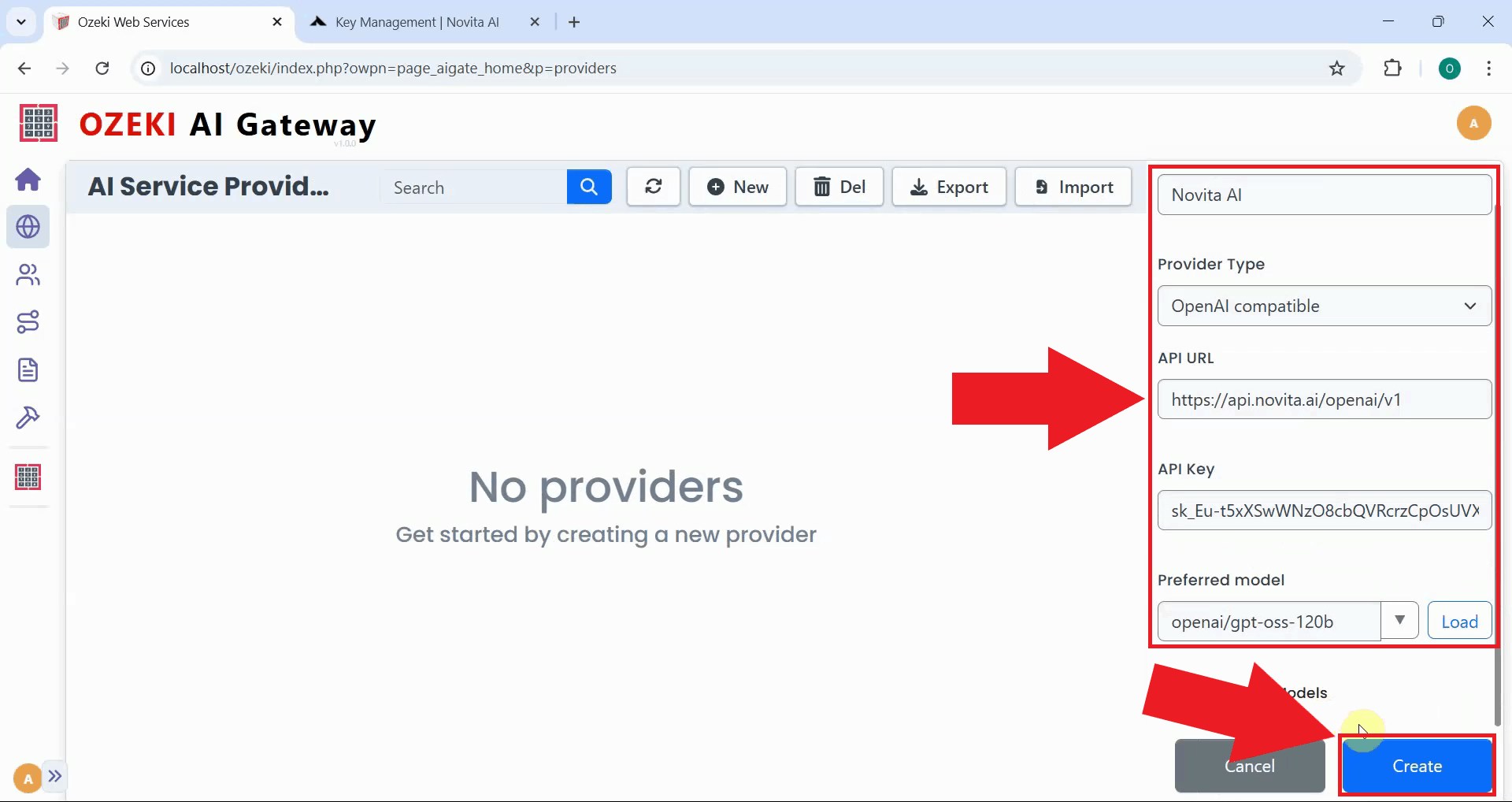
Fill in the configuration form with your Novita AI information. Enter the provider name, select "OpenAI compatible" as the type, paste the endpoint URL (https://api.novita.ai/openai/v1), and add your API key. Select your preferred model from the dropdown list, then click "Create" to save the configuration (Figure 8).
https://api.novita.ai/openai/v1
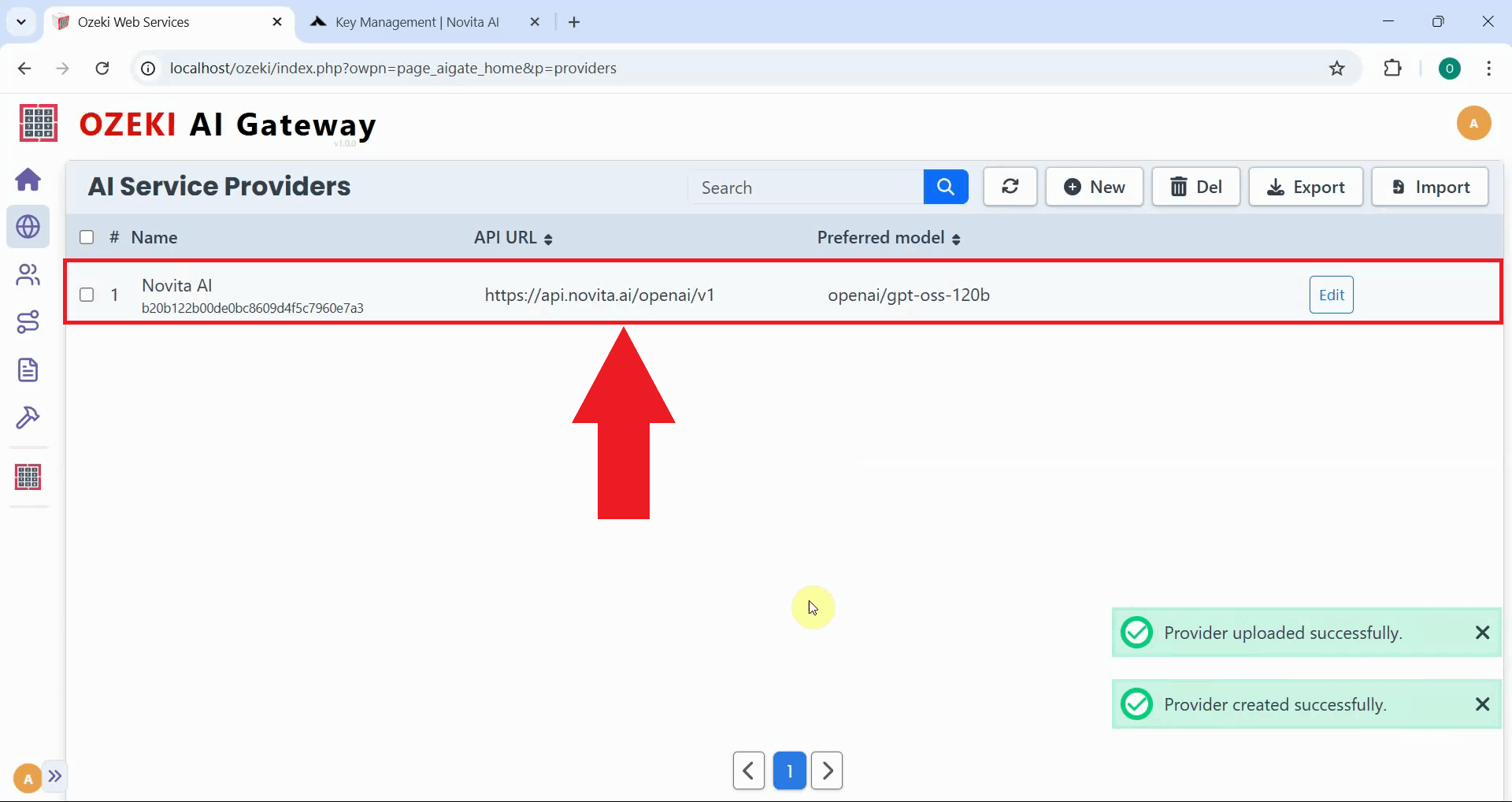
After successful creation, Novita AI is added to Ozeki AI Gateway. The provider now appears in the list, confirming that your gateway can route requests to Novita AI services. You can now create routes that allow users to access Novita AI models through your gateway (Figure 9).
Conclusion
You have successfully created a Novita AI API key and configured it as a provider in Ozeki AI Gateway. Your gateway can now communicate with Novita AI's platform and access various AI models with cost-effective and high-performance inference. This setup allows you to manage Novita AI access for multiple users and applications from a centralized point while leveraging Novita's efficient AI model services.