
How to create a user account for your AI users
This guide demonstrates how to create a user account in Ozeki AI Gateway. User accounts are required to generate API keys that applications use to authenticate with the gateway. You'll learn how to navigate to the Users section and create a new user account with the necessary details.
What is a user account?
A user account in Ozeki AI Gateway represents an individual or application that will access AI services through the gateway. Each user account can have multiple API keys and can be assigned routes that determine which AI providers and models they can access. User accounts are essential for authentication, authorization, and tracking usage across your AI infrastructure.
Steps to follow
We assume Ozeki AI Gateway is already installed on your system. You can install it on Linux, Windows or Mac.
How to create a user account video
The following video demonstrates how to create a user account in Ozeki AI Gateway step-by-step. The video covers navigating to the Users page, entering user details, and completing the account creation process.
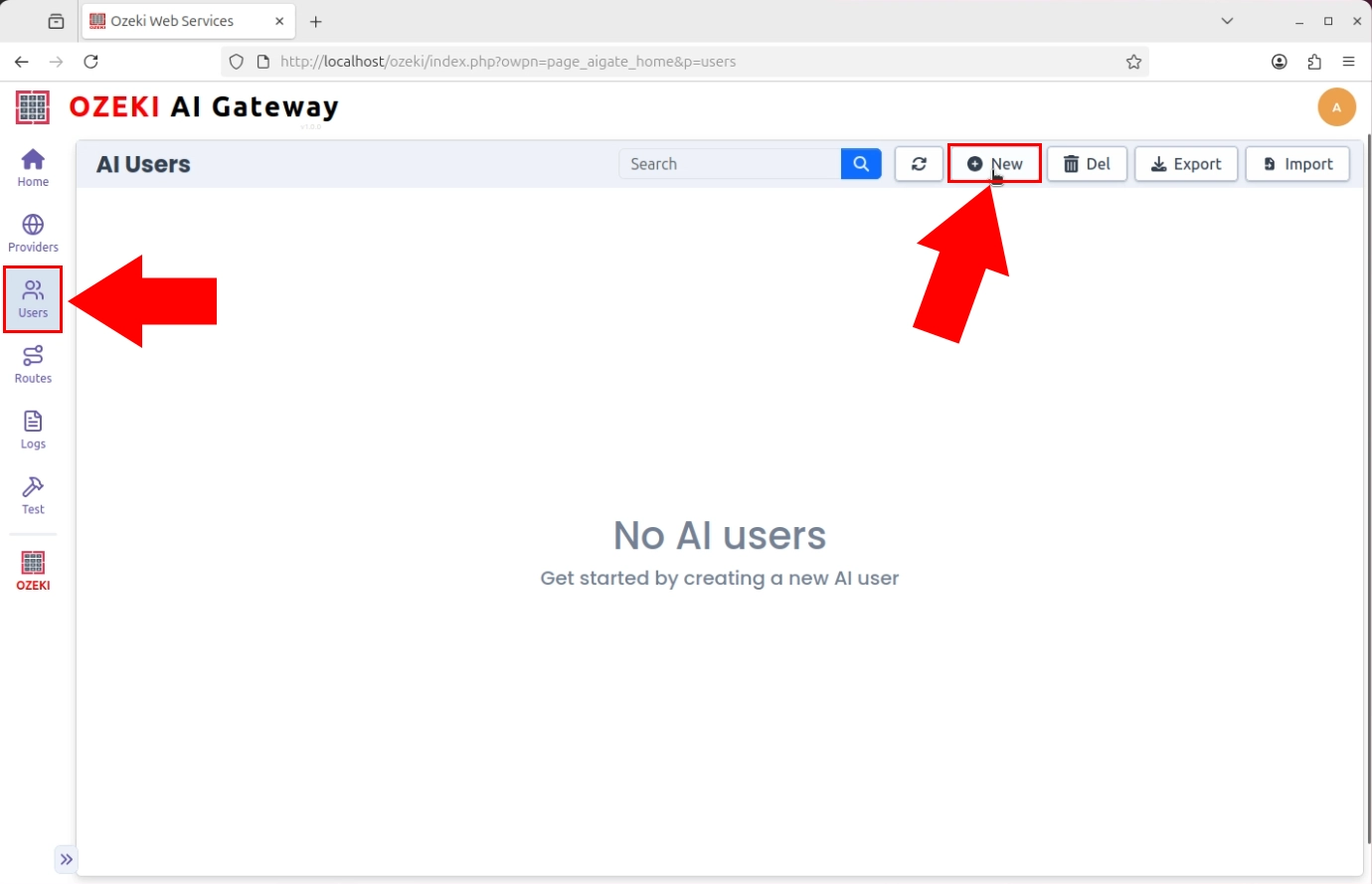
Step 1 - Click add new user
Open the Ozeki AI Gateway web interface and navigate to the Users section from the left sidebar. Click the "New" button to begin the user creation process (Figure 1).
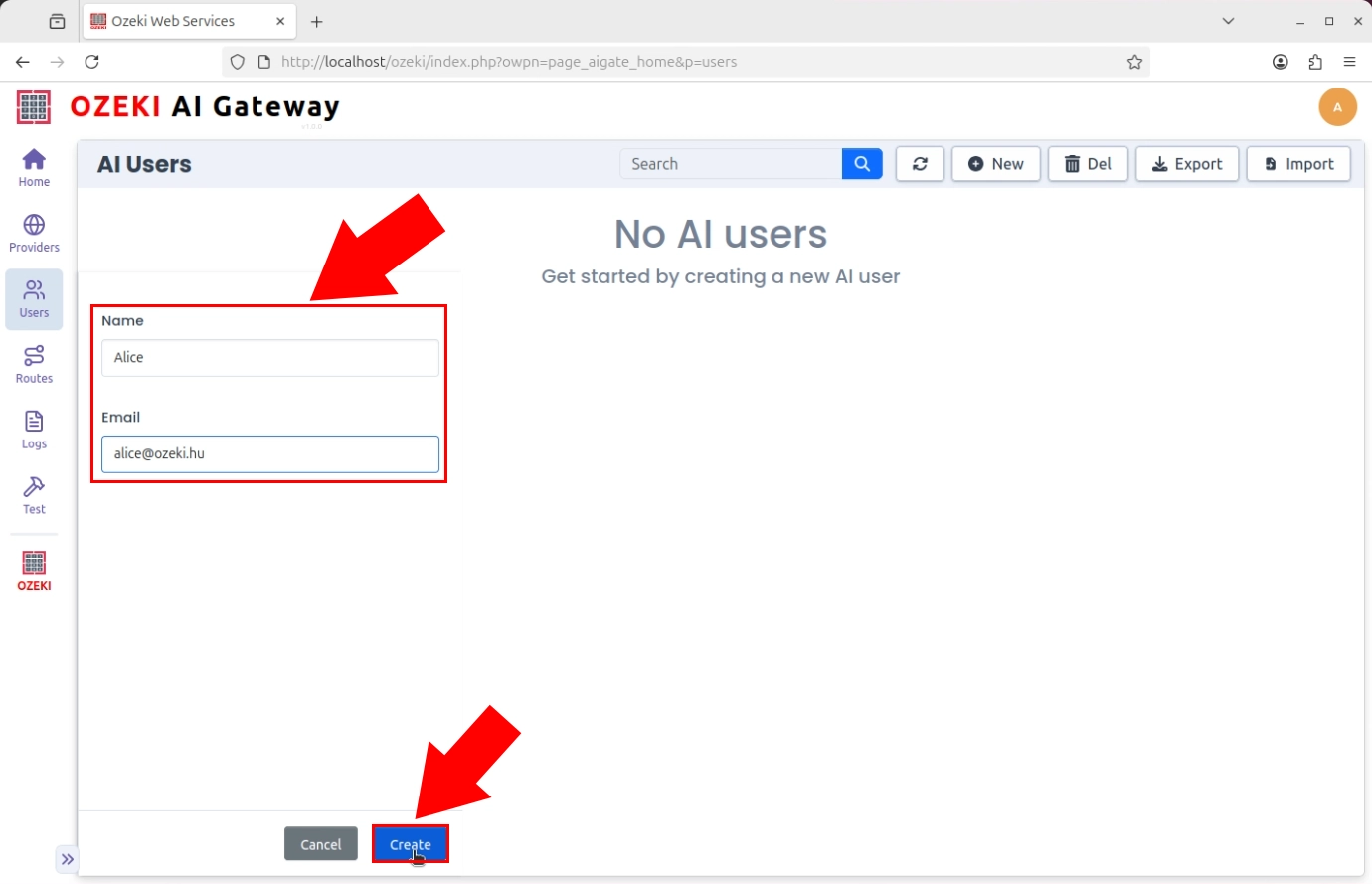
Step 2 - Provide user details
Enter the name and e-mail address for the new user account. Click "Create" to complete the user account creation (Figure 2).
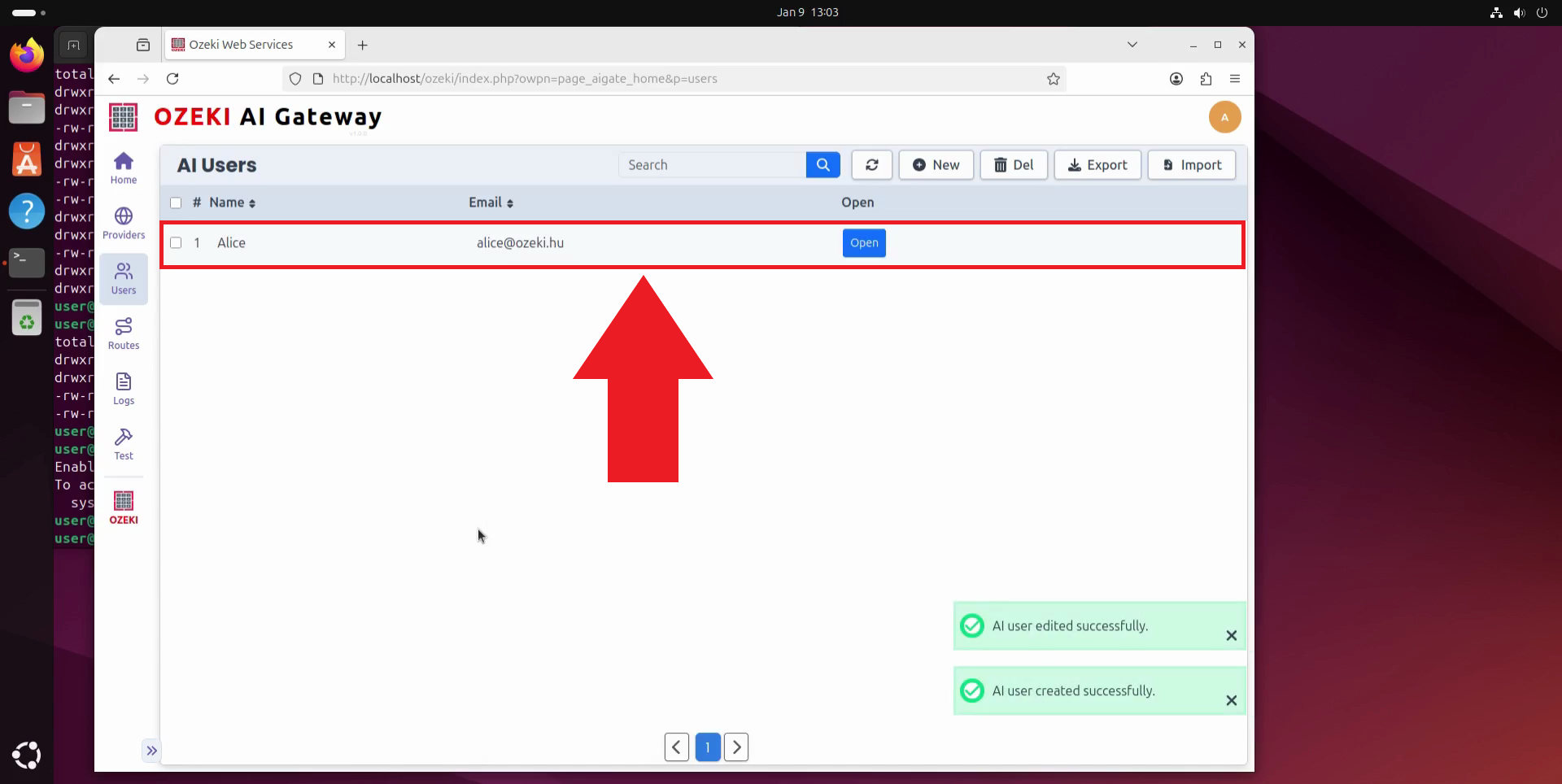
Step 3 - User created
After clicking "Create", the new user account is added to Ozeki AI Gateway. The user now appears in the users list and is ready for API key generation and route configuration. You can now proceed to create API keys for this user account to enable authentication (Figure 3).
To sum it up
You have successfully created a user account in Ozeki AI Gateway. The next step is to create API keys for this user and establish routes that connect the user to AI providers. You can create multiple user accounts to organize access for different applications or team members.