
How to create API keys for your users
This guide demonstrates how to create API keys for users in Ozeki AI Gateway. API keys serve as authentication credentials that allow applications to securely access the gateway. You'll learn how to generate a new API key with a descriptive name, and securely copy the generated key for use in your applications.
What is an API key?
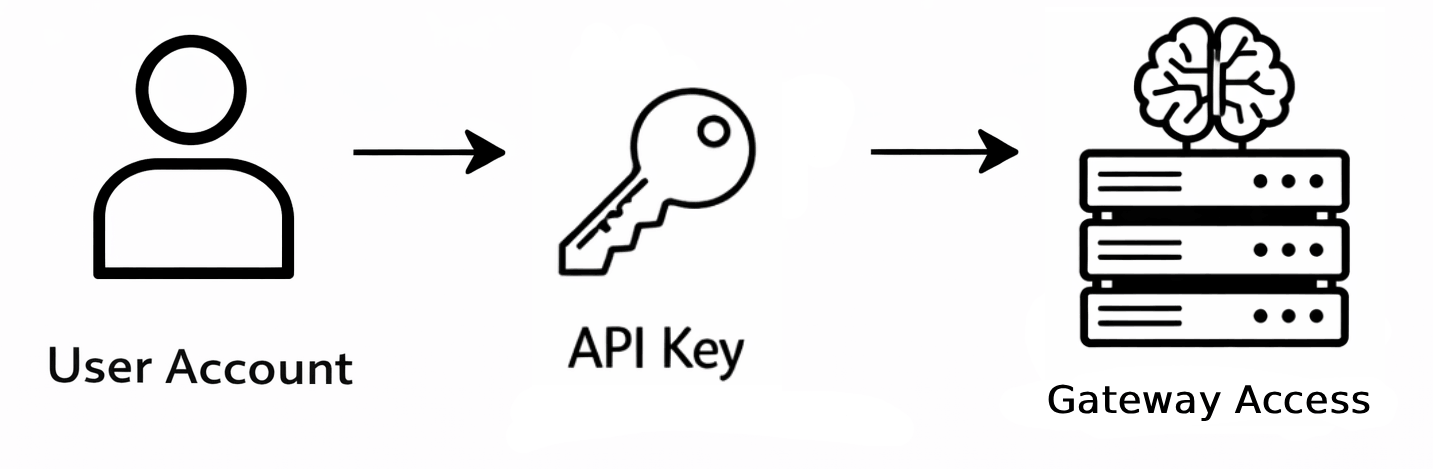
An API key is a unique authentication token that identifies and authenticates applications making requests to Ozeki AI Gateway. Each user account can have one or multiple API keys, allowing different applications or services to access the gateway using the same user's permissions.
Steps to follow
We assume Ozeki AI Gateway is already installed on your system. You can install it on Linux, Windows or Mac.
How to create API keys video
The following video demonstrates how to create API keys for users in Ozeki AI Gateway step-by-step. The video covers opening user details, creating a new API key, and copying the generated key.
Step 1 - Open user details
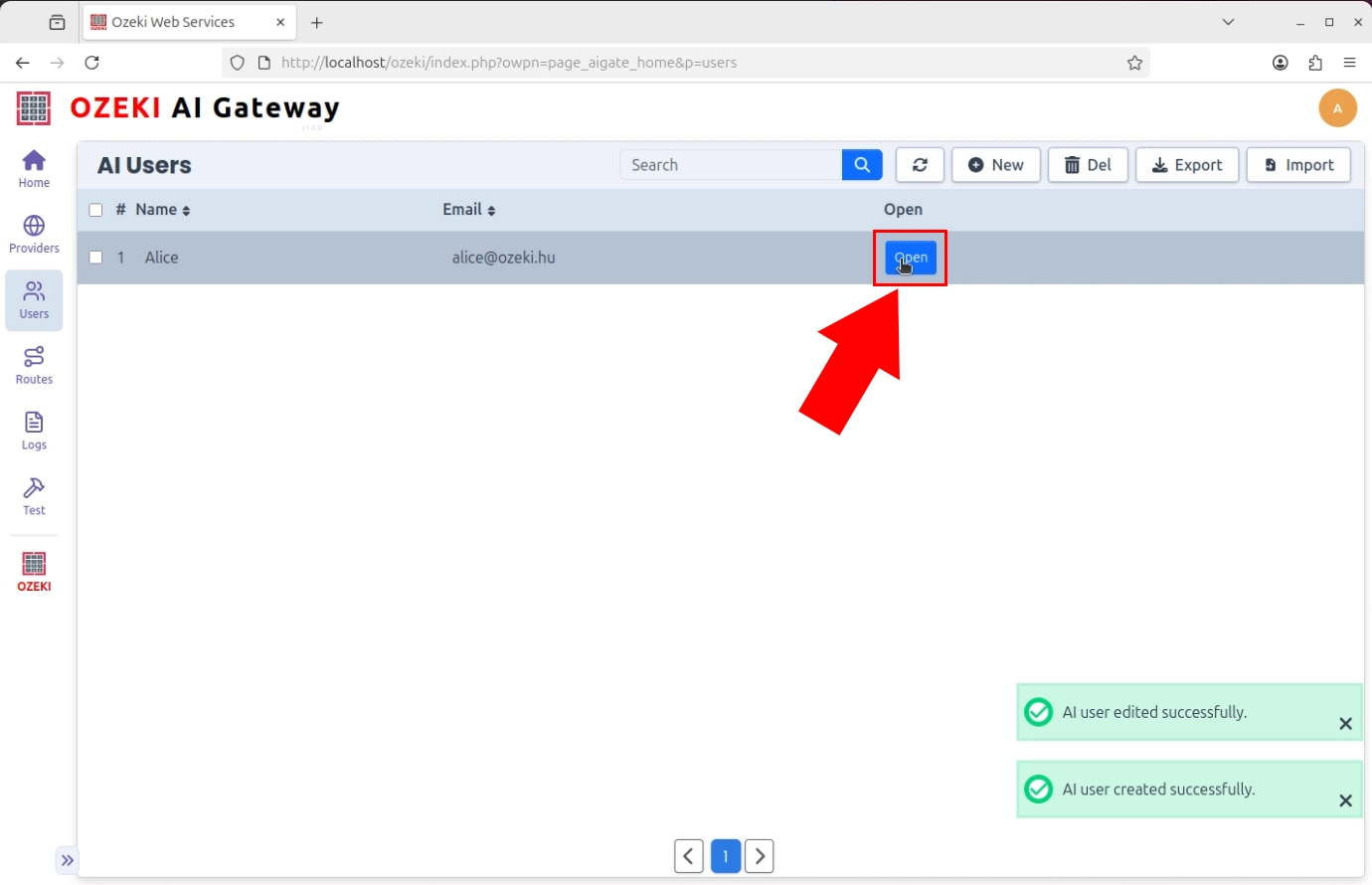
Navigate to the Users section in Ozeki AI Gateway and locate the user for whom you want to create an API key. Click on the "Open" button in the user's row to access the API Key management page (Figure 1).
If you haven't created a user account yet, check out our Create a User Account tutorial to learn how to set up user accounts in Ozeki AI Gateway.
Step 2 - Create new API key
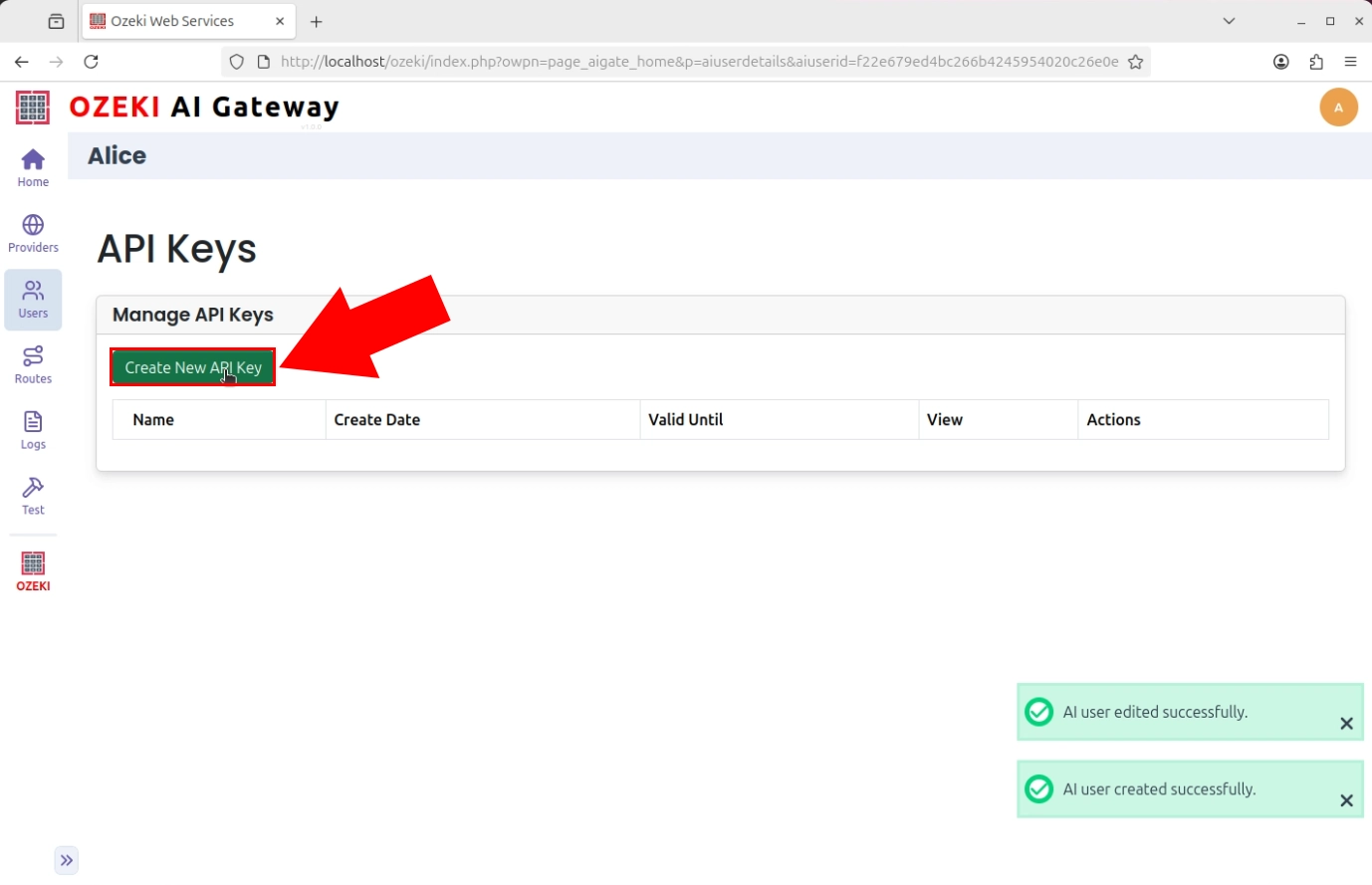
On the API Key management page, locate and click the "Create new API key" button. This initiates the API key generation process. Each user can have multiple API keys, allowing you to create separate keys for different applications or services (Figure 2).
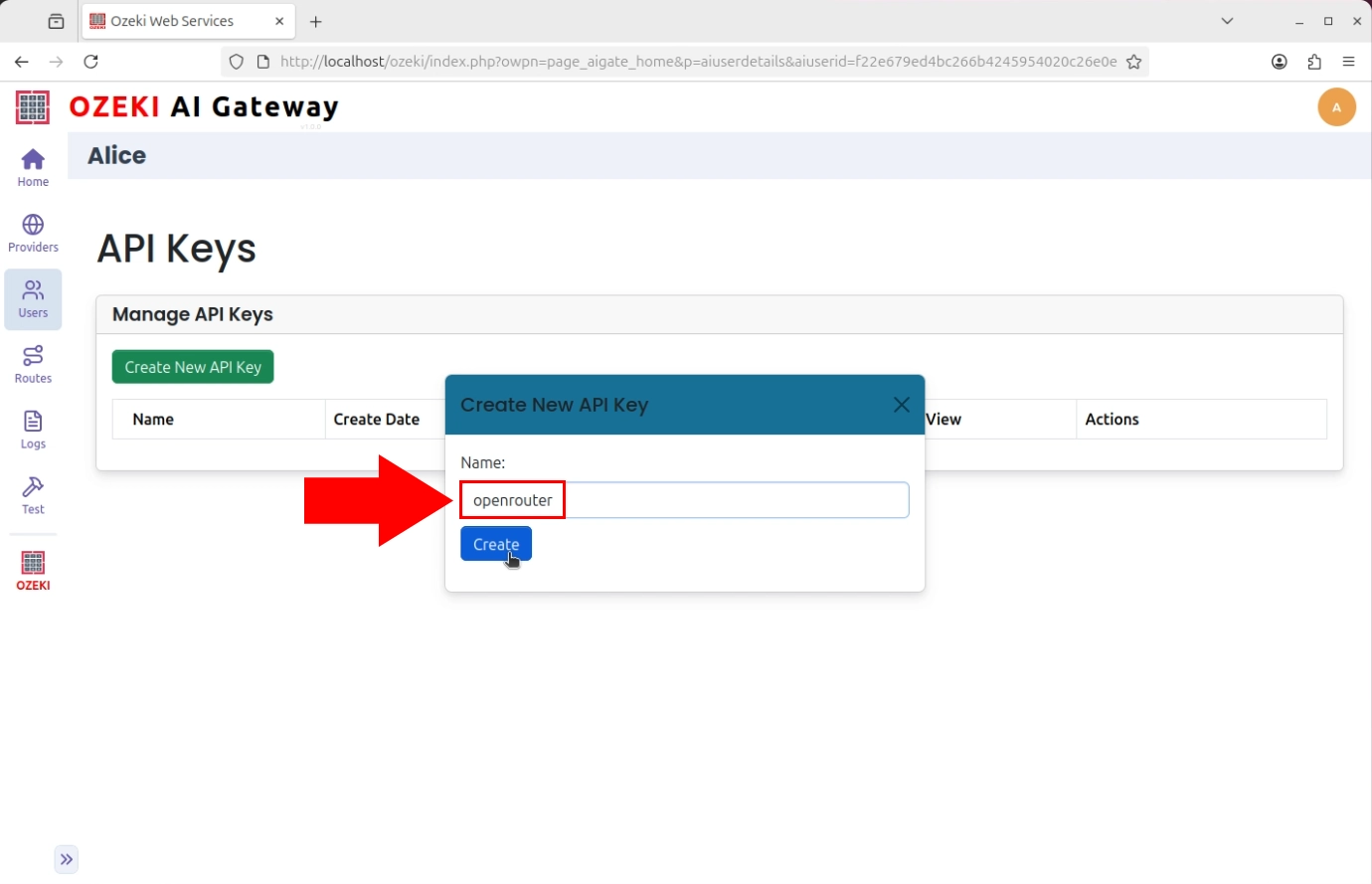
Enter a descriptive name for the API key that identifies its purpose or the application that will use it. For example, you might use names like or "Kilo Code" to indicate which application uses this key (Figure 3).
Step 3 - Copy generated API key
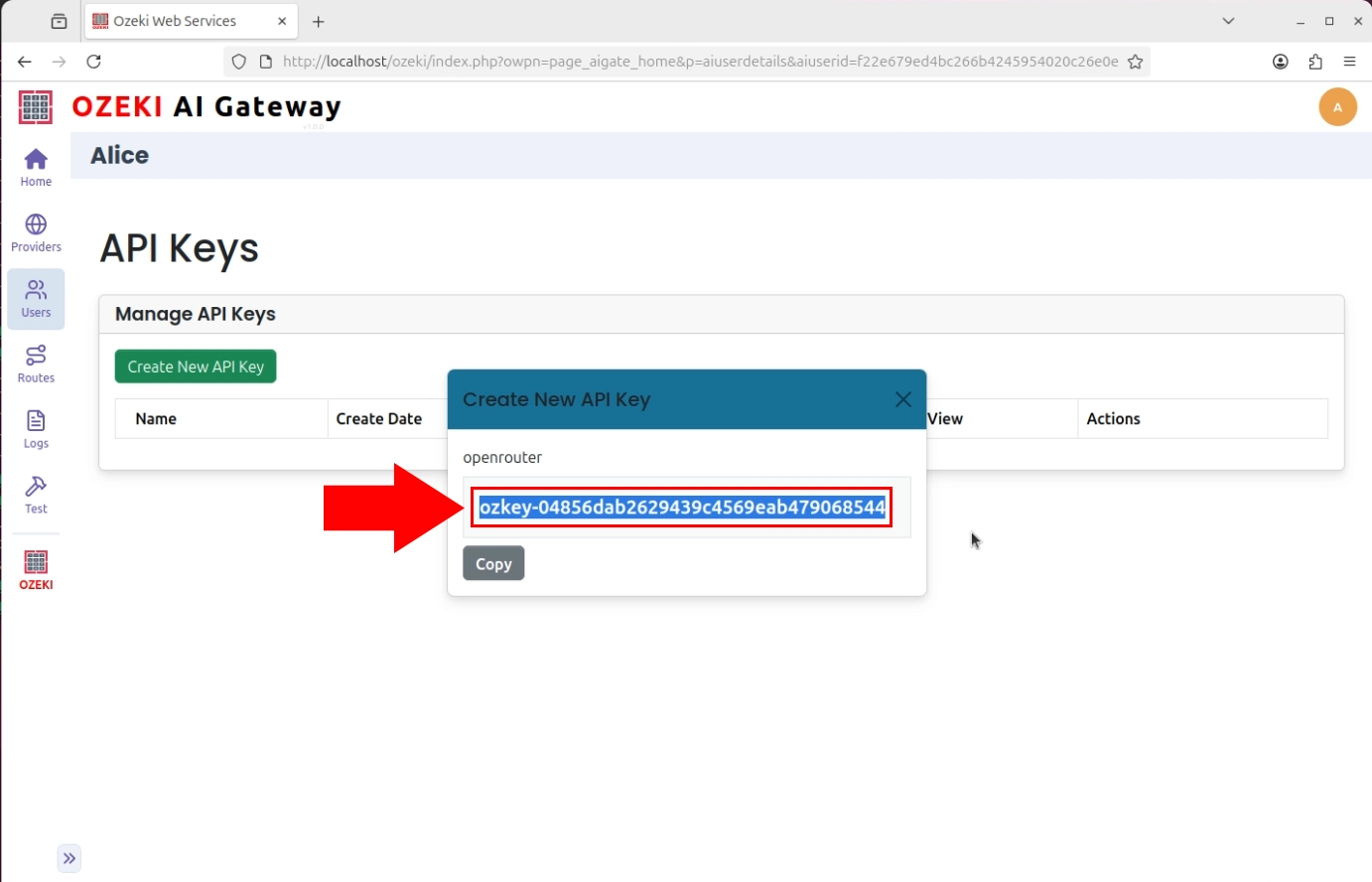
After the API key is generated, the gateway displays the complete key value. Click the copy button to copy the key to your clipboard (Figure 4).
Conclusion
You have successfully created an API key for a user in Ozeki AI Gateway. The API key can now be used by applications to authenticate with the gateway and access AI services. Make sure to store the key securely and never share it publicly. You can create additional API keys for the same user if you need separate credentials for different applications or services.