File Storage API
The File Storage API provides secure, time-limited access to files stored on the Ozeki AI Gateway server. When you generate images with response_format set to "url", the system creates signed URLs that include HMAC SHA256 signatures for authentication and authorization.
Configuring the HMAC secret key
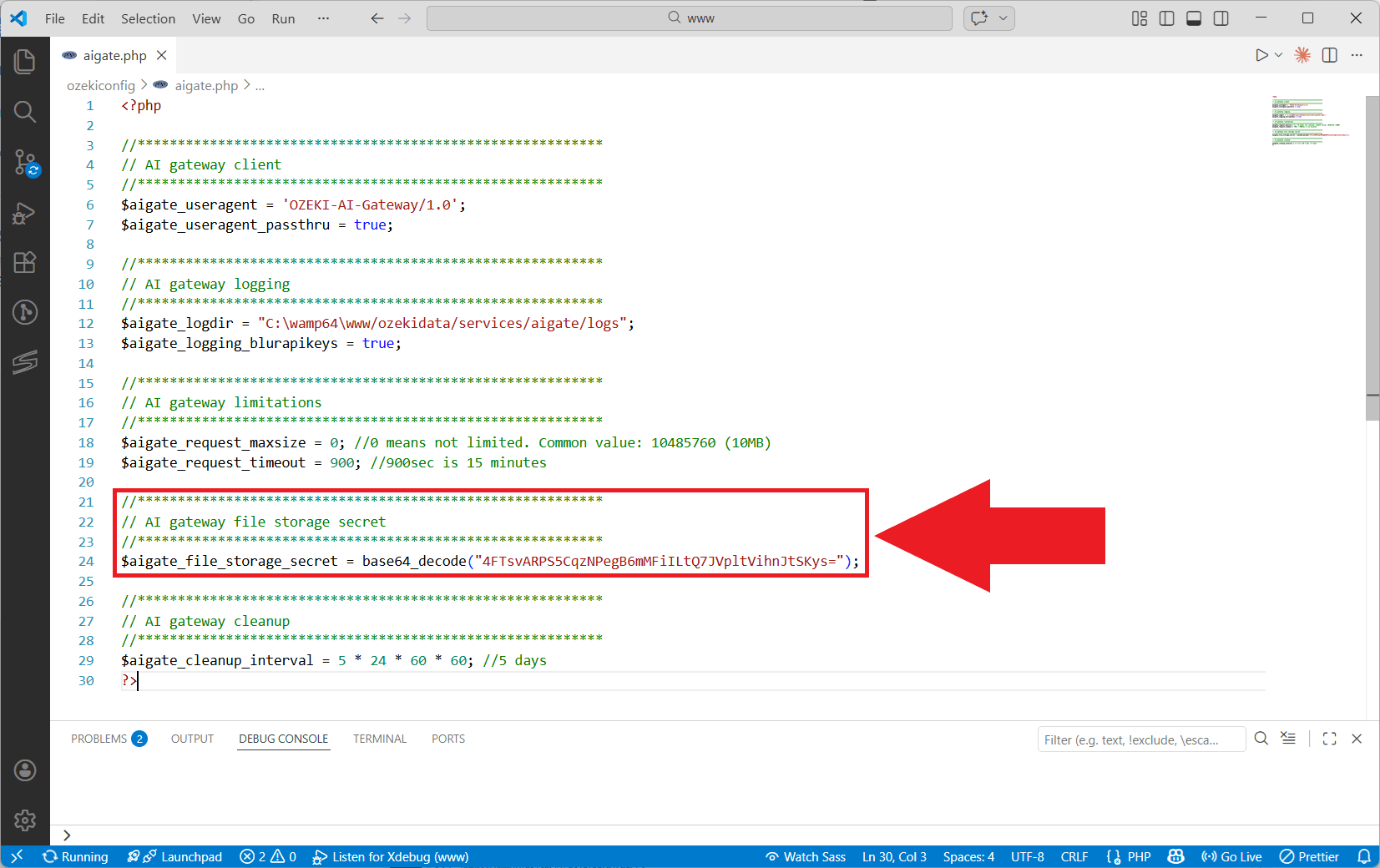
To use the File Storage API, you must configure the HMAC secret key in the
/wamp64/www/ozekiconfig/aigate.php configuration file.
Locate or add the $aigate_file_storage_secret variable and set it to a secure random value.
The secret key can be provided in plain text, base64-encoded, or hex-encoded format. When using encoded formats,
you must decode the value during assignment (e.g., using base64_decode() for base64-encoded strings):
$aigate_file_storage_secret = base64_decode("4FTsvARPS5CqzNPegB6mMFiILtQ7JVpltVihnJtSKys=");
Generating images
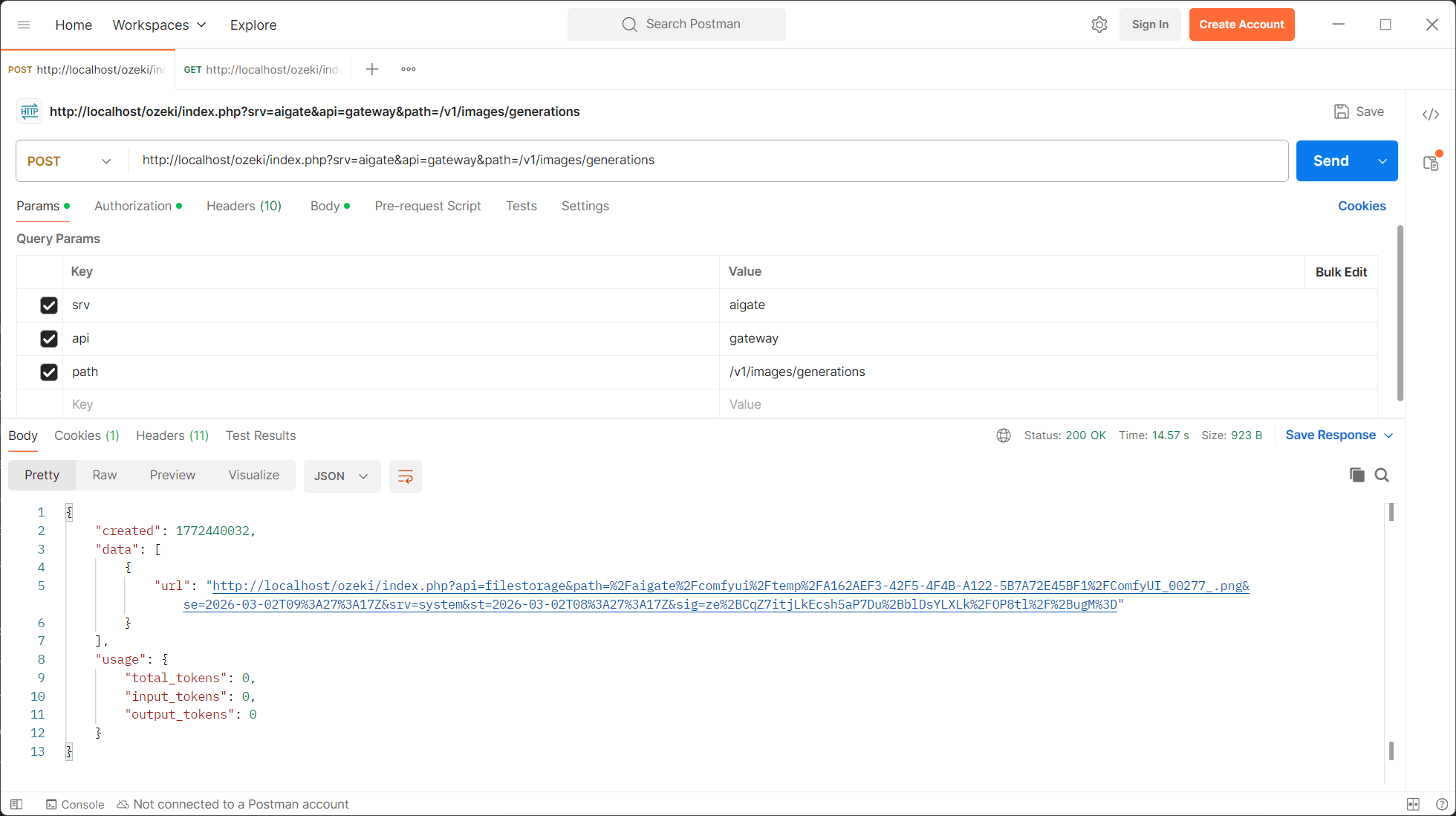
Set the response_format parameter to "url" when making image generation requests to the generations API:
POST http://localhost/ozeki/index.php?srv=aigate&api=gateway&path=/v1/images/generations

{
    "model": "qwen",
    "prompt": "A sea view",
    "size": "600x600",
    "response_format": "url",
    "timeout": 600
}
The "model" parameter corresponds to the workflow name defined in your ComfyUI provider configuration. When setting up the provider, you specify workflow names in the configuration tab; these are then used as model identifiers in API requests.
The API response contains a signed URL in the data array:
{
    "created": 1772440032,
    "data": [
        {
            "url": "http://localhost/ozeki/index.php?api=filestorage
            		&path=%2Faigate%2Fcomfyui%2Ftemp%2FA162AEF3-42F5-4F4B-A122-5B7A72E45BF1%2FComfyUI_00277_.png
            		&se=2026-03-02T09%3A27%3A17Z
            		&srv=system
            		&st=2026-03-02T08%3A27%3A17Z
            		&sig=ze%2BCqZ7itjLkEcsh5aP7Du%2BblDsYLXLk%2F0P8tl%2F%2BugM%3D"
        }
    ],
}
URL parameters
| Parameter | Example | Description |
|---|---|---|
api |
filestorage | Specifies the API endpoint. Must be set to "filestorage". |
path |
/aigate/comfyui/temp/id/image.png | URL-encoded file path on the server pointing to the specific file. |
st |
2026-03-02T08:27:17Z | Start time in ISO 8601 format (URL-encoded). File becomes accessible at this time. |
se |
2026-03-02T09:27:17Z | Expiration time in ISO 8601 format (URL-encoded). File is no longer accessible after this time. |
srv |
system | Service identifier |
sig |
ze+CqZ7itjLkEcsh5aP7Du+blDsYLXLk/0P8tl/+ugM= | HMAC SHA256 signature (base64 and URL-encoded) that validates the URL integrity. |
Time-based access control
File access is controlled by two timestamps: st (start time) and se (expiration time).
The file is only accessible when the current server time falls between these two values. Requests made before
the start time or after the expiration time are rejected.
HMAC signature authentication
The sig parameter contains an HMAC SHA256 signature that prevents URL tampering. The signature
is generated using a secret key. If any parameter is modified (such as the path
or time values), the signature validation fails and access is denied.
Accessing files
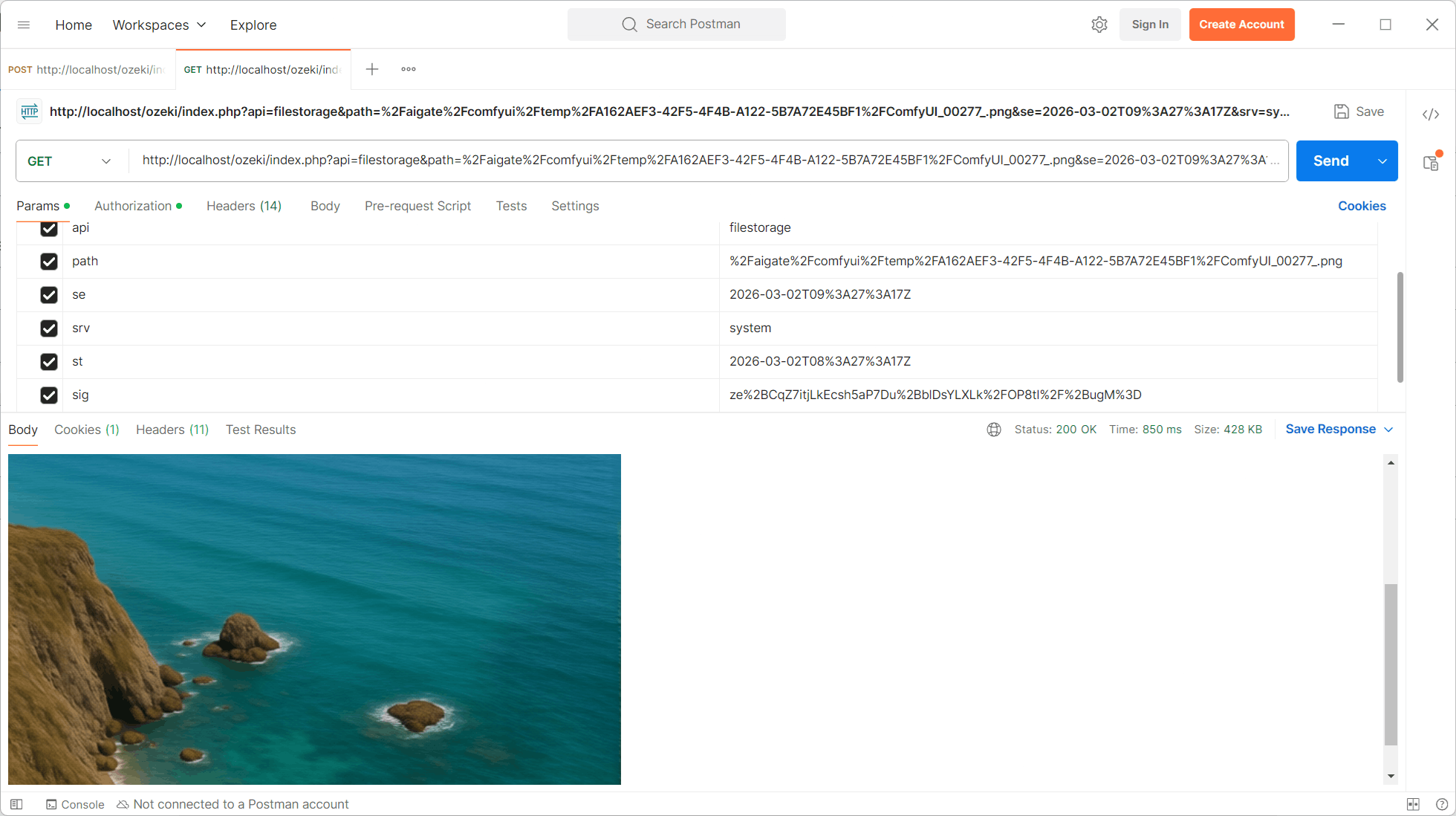
To access a file, make a GET request to the signed URL. The server validates the signature and time window before returning the file:
GET http://localhost/ozeki/index.php?api=filestorage
	&path=%2Faigate%2Fcomfyui%2Ftemp%2FA162AEF3-42F5-4F4B-A122-5B7A72E45BF1%2FComfyUI_00277_.png
	&se=2026-03-02T09%3A27%3A17Z
	&srv=system
	&st=2026-03-02T08%3A27%3A17Z
	&sig=ze%2BCqZ7itjLkEcsh5aP7Du%2BblDsYLXLk%2F0P8tl%2F%2BugM%3D
If validation succeeds, the server returns the file with appropriate content-type headers. If validation fails, the server returns an error response.